


Greetings, everyone! This is the TechandFunZone tutorial for today. We'll learn how to make Detect User Browser and OS App using JavaScript, which will tell you which operating system you use on a daily basis and which browser you're currently using. This venture will be really great for newbies and assist them with building their front-end advancement abilities. We will use HTML, CSS, and JavaScript to finish this Detect User Browser and OS Project in today's session.
Steps to Make this Project Happen
- In order to construct the Detect User Browser and OS Project, we will use the Hypertext Markup Language (HTML) to create the list's structure and some of the necessary attributes and elements.
- Then, in the Detect User Browser and OS Project, we will style or design the project with the appropriate padding and alignment using CSS (Cascading Stylesheet).
- Finally, we will employ JS (JavaScript), which will include logic for making the Detect User Browser and OS Project user-friendly.
You Can see the demo below to check how it works.
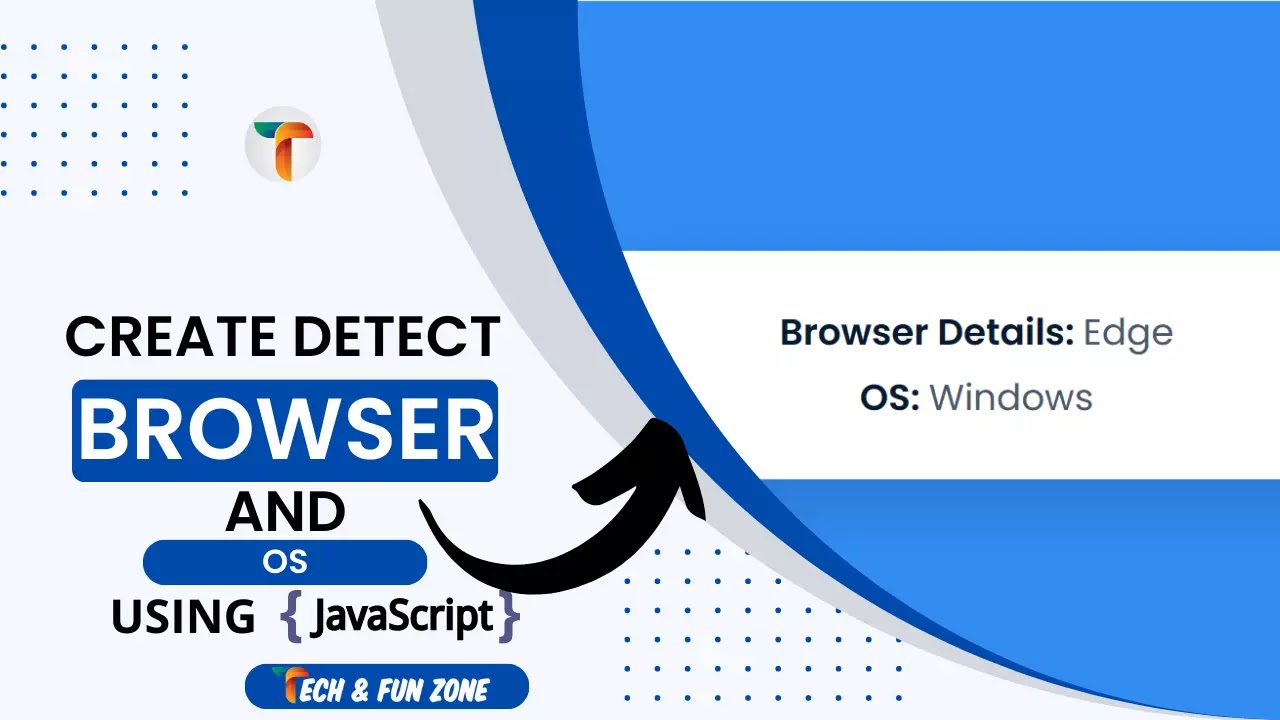
Steps to Create Detect User Browser and OS using JavaScript
The structure of the document serves as our foundation. First We will use HTML Code to give the Structure base to our Detect User Browser and OS using JavaScript. In this instance, we have more elements than usual, so it is a little longer than usual.
Google Font link
First and foremost, a Google Font link must be included in our project. Even though it is a script link, we will include it in the head element. Google Font link is a link we used to add font to our projects.
HTML Section
We now reach the primary structure.
In this section, we begin by creating different div classes for the project. Then, within Div Class, we added the necessary information for the Detect User Browser and OS using JavaScript.CSS Section
Now that we have added the HTML tags and their contents, it is time to add the CSS code to make it attractive and add a user friendly Detect User Browser and OS using JavaScript.
we have the styled CSS code for the Detect User Browser and OS using JavaScript For Blogger structure. Additionally, the CSS code has been positioned and aligned in such a way that it does not become overloaded with the appropriate CSS elements. Now, let's program the CSS component to be responsive. Simply copy the code and paste it where you want to use it.
JavaScript Section
The final and most crucial phase of the project is JavaScript, where we added the logic and coded it in accordance with the Quiz App project's requirements, subject to a few conditions. We have also created functions that store responses and display them when the user gives an answer. Let's look at the Detect User Browser and OS using JavaScript's final step.
<link
      href="https://fonts.googleapis.com/css2?family=Poppins:wght@400;600&display=swap"
      rel="stylesheet"
    />
 <div id="container">
      Browser Details: <span id="browser-details"></span><br />
      OS: <span id="os-details"></span>
    </div>
In order to use CSS to change specific elements, each content has its own div class with its own name. Last but not least, a button property will be added to the section that comes after.
* {
  padding: 0;
  margin: 0;
  box-sizing: border-box;
}
body {
  background-color: #328cf3;
}
#container {
  position: absolute;
  background-color: #ffffff;
  transform: translate(-50%, -50%);
  top: 50%;
  left: 50%;
  width: 90vw;
  max-width: 600px;
  padding: 40px 20px;
  border-radius: 5px;
  font-family: "Poppins", sans-serif;
  font-size: 5vmin;
  color: #051a32;
  font-weight: 600;
  line-height: 1.8em;
  text-align: center;
  box-shadow: 0 20px 50px rgba(5, 26, 50, 0.18);
}
#container span {
  font-weight: 400;
  color: #4b5969;
We have finished adding the CSS code, so this project is partially finished. However, to give this Detect User Browser and OS using JavaScript final touch, we have added some JavaScript to function all of the section correctly.
// Detect Internet Speed using JavaScript by techandfunzone.in
//References
let browserDetailsRef = document.getElementById("browser-details");
let osDetailsRef = document.getElementById("os-details");
var browserList = [
  { name: "Firefox", value: "Firefox" },
  { name: "Opera", value: "OPR" },
  { name: "Edge", value: "Edg" },
  { name: "Chrome", value: "Chrome" },
  { name: "Safari", value: "Safari" },
];
var os = [
  { name: "Android", value: "Android" },
  { name: "iPhone", value: "iPhone" },
  { name: "iPad", value: "Mac" },
  { name: "Macintosh", value: "Mac" },
  { name: "Linux", value: "Linux" },
  { name: "Windows", value: "Win" },
];

let broswerChecker = () => {
  //Useragent contains browser details and OS  details but we need to separate them
  let userDetails = navigator.userAgent;
  for (let i in browserList) {
    //check if the string contains any value from the array
    if (userDetails.includes(browserList[i].value)) {
      //extract browser name and version from the string
      browserDetailsRef.innerHTML = browserList[i].name || "Unknown Browser";
      break;
    }
  }
  for (let i in os) {
    //check if string contains any value from the object
    if (userDetails.includes(os[i].value)) {
      //displau name of OS from the object
      osDetailsRef.innerHTML = os[i].name;
      break;
    }
  }
};

window.onload = broswerChecker();
Final words
We have successfully created our responsive Detect User Browser and OS using JavaScript. Now let's take a final look of the Detect User Browser and OS using JavaScript below.
See the Pen
Detect User Browser and OS using JavaScript by Thoda-sa-pagal (@thoda-sa-pagal)
on CodePen.
Final Words
Using HTML, CSS, and JavaScript, we have created our Detect User Browser and OS using JavaScript with success. You can involve this undertaking for your own requirements and the particular lines of code are given with the code pen connect referenced previously.